💡 Idea. 🪝 Hook. 🎯 Angle. ✍️ Script. 🎥 Shots. 🧩 Storyboard. ✂️ Edit.
Ikaw lahat. Kaya kahit may idea ka, nauuwi sa overthinking — tapos wala ka pa ring final.
Hindi mo kailangan ng mas maraming prompts. Kailangan mo ng system na nagsasabi kung ano ang next.
TIVA is a guided Gen Z creative system that turns the creative decision spiral into a clear path: mode → direction → creative development → storyboard → production.

Bawat content may sariling mini production meeting sa utak mo. 😭
“Anong hook?” → “Okay ba 'to?” → “Anong shot?” → “Wait, ibang angle na lang.” → “Ano kaya ginagawa ng iba?” → scroll → research → bagong prompt → revise ulit.
Before you even create, pagod ka na.
Hindi ka bibigyan ng random list ng ideas at iiwan ka ulit para mag-decide.
TIVA walks you through the creative decisions in order — para alam mo kung ano ang gagawin next.
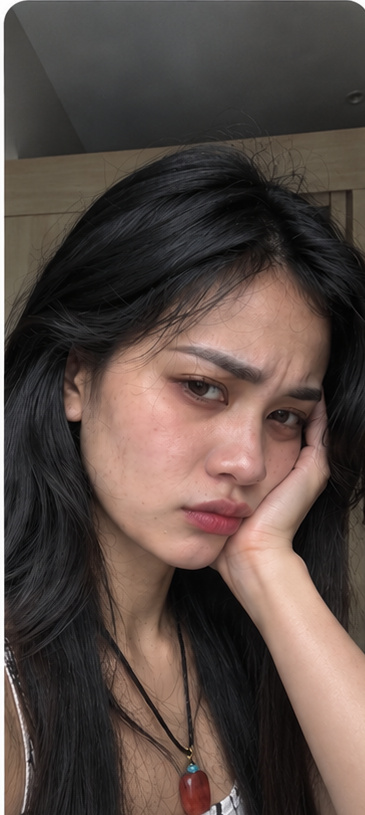
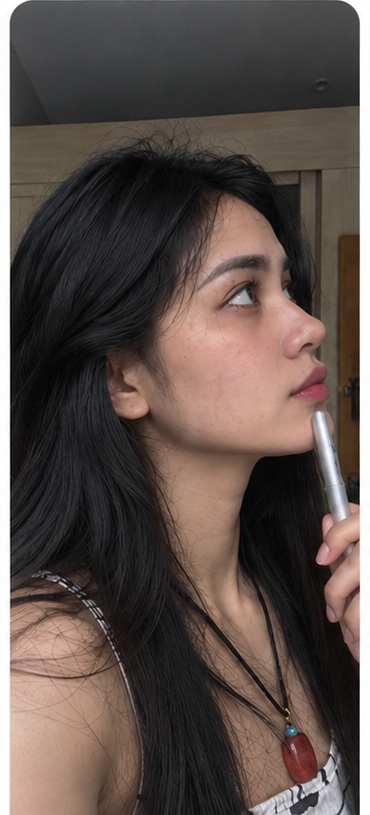
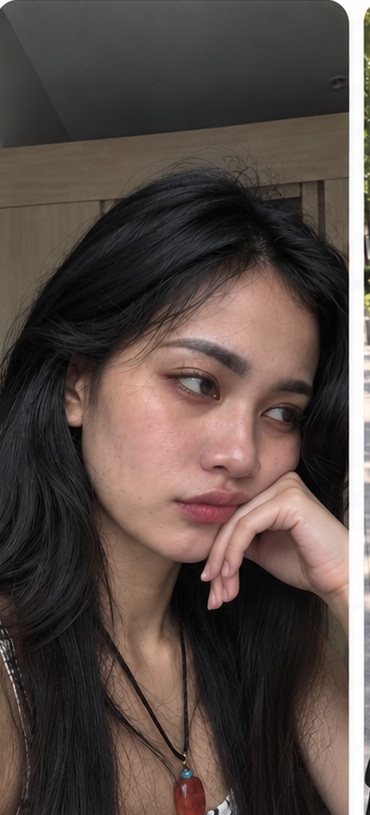
Ginagamit ang real creator-style photos ni Tin sa mga moments na dapat maramdaman ng visitor — overwhelmed, nag-iisip, curious, hanggang “okay, let's create.” Raw iPhone look ang visual language: natural skin texture, natural light, no glossy AI-ad look.

“3 hours na…”Pagod na pero gusto pa ring gumawa.

“Ano bang angle?”The creative-decision spiral.

“Bakit nanonood lang?”Shift from consumer → creator.

“Okay. Let’s create.”May direction. May next step.
Idea → overthink → prompt → revise → “parang may kulang” → restart → doom scroll for inspiration → hours later… wala pa ring final.
Choose your mode → answer guided questions → upload references → let the TIVA creative brain build the path → review → ready to execute.
Goal: around 5–10 minutes for the creative planning workflow. ⚡
The 5–10 minute figure refers to the guided creative planning process and can vary depending on the complexity of the content, references, and revisions.
Hindi mo kailangan ng mas maraming prompts.
You need a system that tells you what to do next.
That's what TIVA is built to give you: not another AI chat where you start from zero, but a guided creative workflow that removes the friction between “may idea ako” and “okay, ginagawa ko na.”
TIVA helps you stop restarting every time you make content. The workflow keeps the important creative decisions connected from the first idea to execution.
Instead of staring at a blank screen, TIVA gives you a clear starting point and walks you through the next decision.
Hook, angle, pacing, escalation, payoff, references, and execution are handled as connected creative decisions.
Move from vague idea to concrete shots, actions, timing, storyboard, and generation-ready direction.
Stop making every decision from scratch. Follow the workflow instead of carrying the whole process in your head.
Once you understand the system, you can use the same guided workflow across different content modes and projects.
Start from Filipino Gen Z creator DNA, then adapt the creative direction to your chosen country, audience, language, culture, and platform.
AI drama. Product videos. Affiliate content. POVs. Shorts. Every day may bagong content na lumalabas.
What if instead na puro scroll… ikaw naman ang gumawa?
Watch. Scroll. Save. “Ang ganda nito.” Repeat.
Idea → angle → hook → story → shots → storyboard → video.
Gamit ang same TIVA Brain, pwede kang mag-explore ng different creative workflows depending sa goal mo.
Product-first, POV, soft-sell, UGC-style and other product content directions.
Build story-driven concepts instead of just consuming AI-generated stories.
TikTok, Reels, Shorts and creator-native content workflows.
POV, lifestyle, creator and UGC-style directions with a real content lens.
Use the creative workflow as part of your own content-production process.
77 modes give you more creative starting points without building every workflow from scratch.
TIVA is built around a Gen Z Filipino creator perspective — practical, observant, relatable, at may actual creator instincts — pero hindi ibig sabihin Filipino lang ang kaya nito.
Choose your target country and TIVA can adapt the language, audience, culture, tone, platform, and execution.
Start with a creator-native mode and angle instead of a generic AI prompt.
Builds hooks, open loops, escalation, payoff, and creator-native execution from a real-life creator lens — not a generic template.
Important product, face, branding, and visual details stay anchored to what you provide.
Hindi ibig sabihin na 77 modes = 77 separate brains. One established TIVA Brain ang nasa likod ng workflows — nag-iiba lang ang creative decisions depende sa goal.
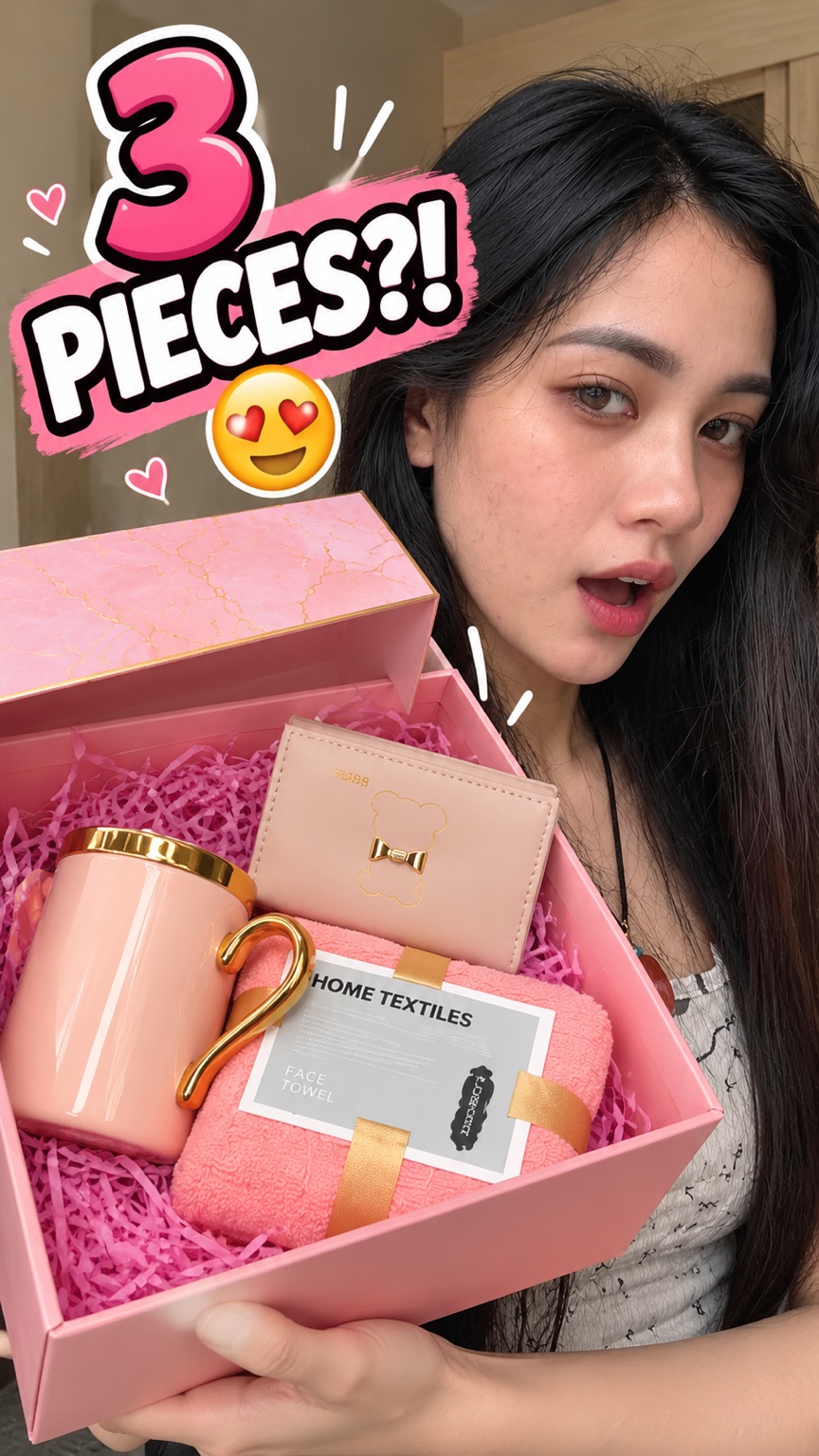
One real creator build, shown from the creative direction to the visual result. This is what reference-anchored means in practice: the creator identity and actual product references stay at the center of the production.
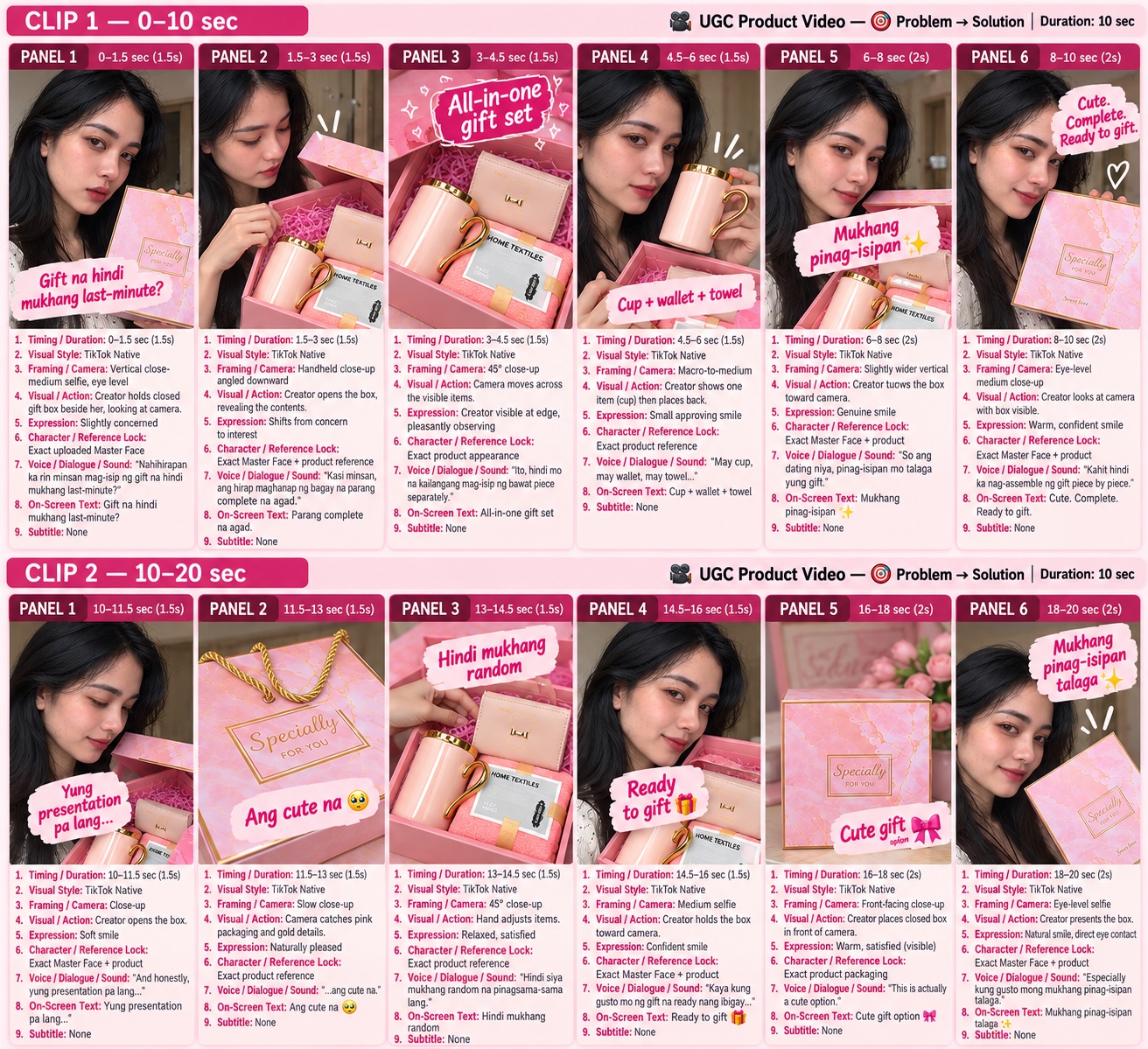
For this UGC Product Video, TIVA starts with a relatable gifting problem, then turns the actual pink gift set into the visual proof — instead of inventing a generic product concept.
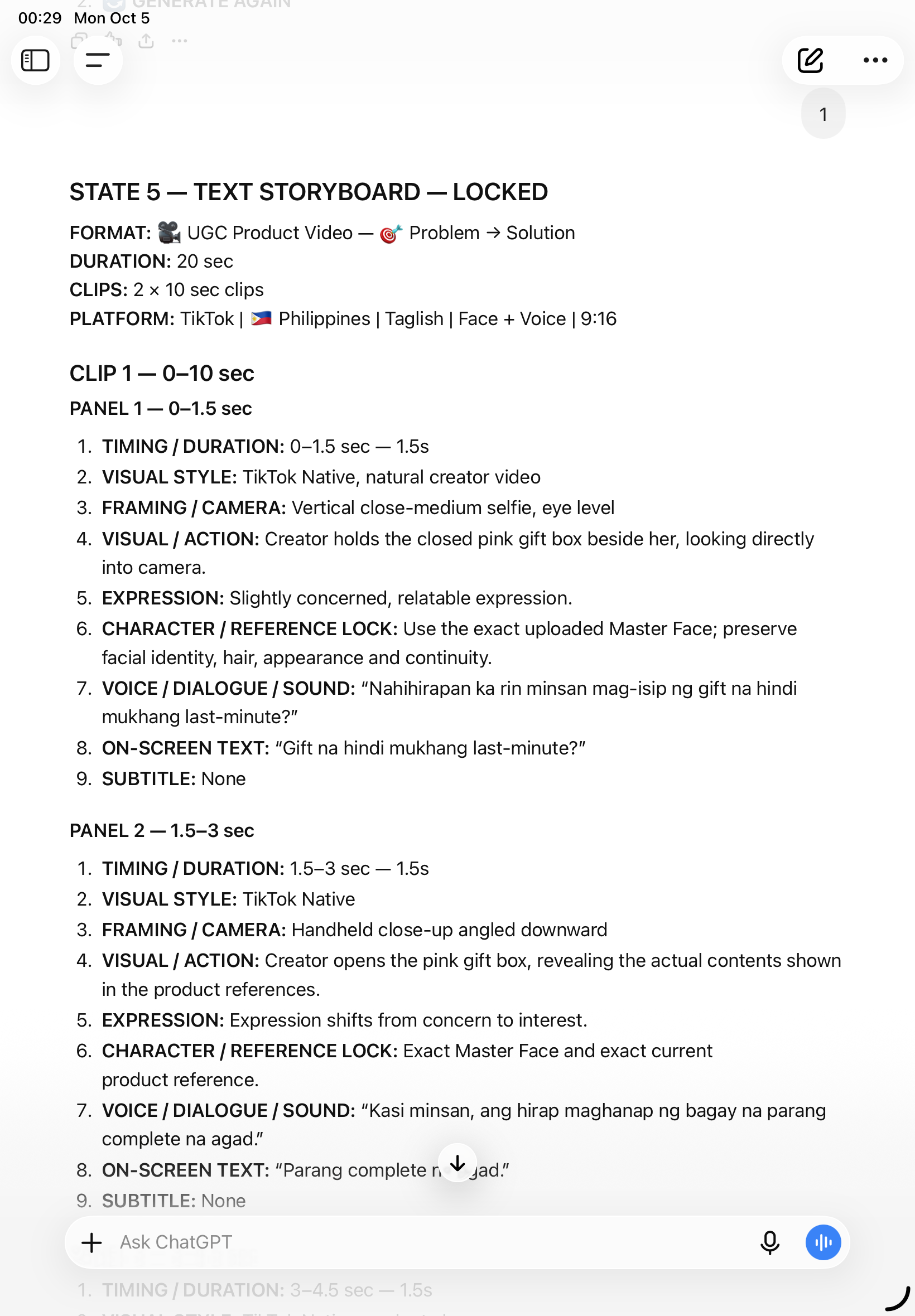
Every beat is mapped before generation: timing, framing, action, expression, dialogue, on-screen text, and reference locks. The result is a prompt that a video generator can actually execute.
Actual storyboard from the TIVA build shown above — not a generic mockup.
The generated result keeps the creator visually recognizable while making the actual pink gift set the hero. The creative direction, storyboard, and generation prompt all point to the same intended result.
Less “What should I prompt?”
More “Here’s the next creative decision.”
Ito ang actual 10-second generated clip from the same TIVA build shown above — using the creator/product references and the generation direction produced inside the workflow.
The point isn't that TIVA magically makes one perfect video. The point is that the workflow gives the generator a specific, reference-anchored direction instead of leaving you to figure out every decision manually.
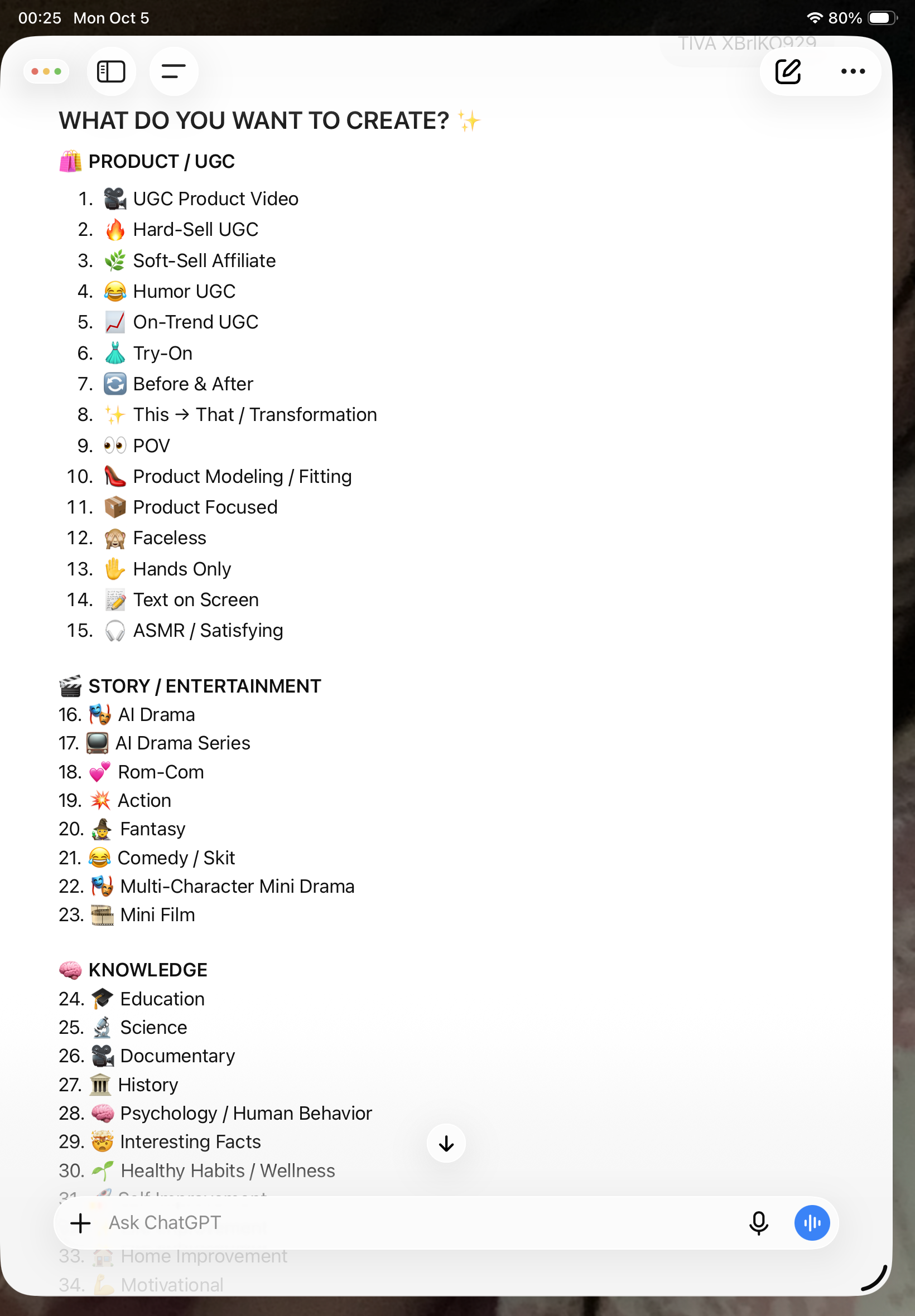
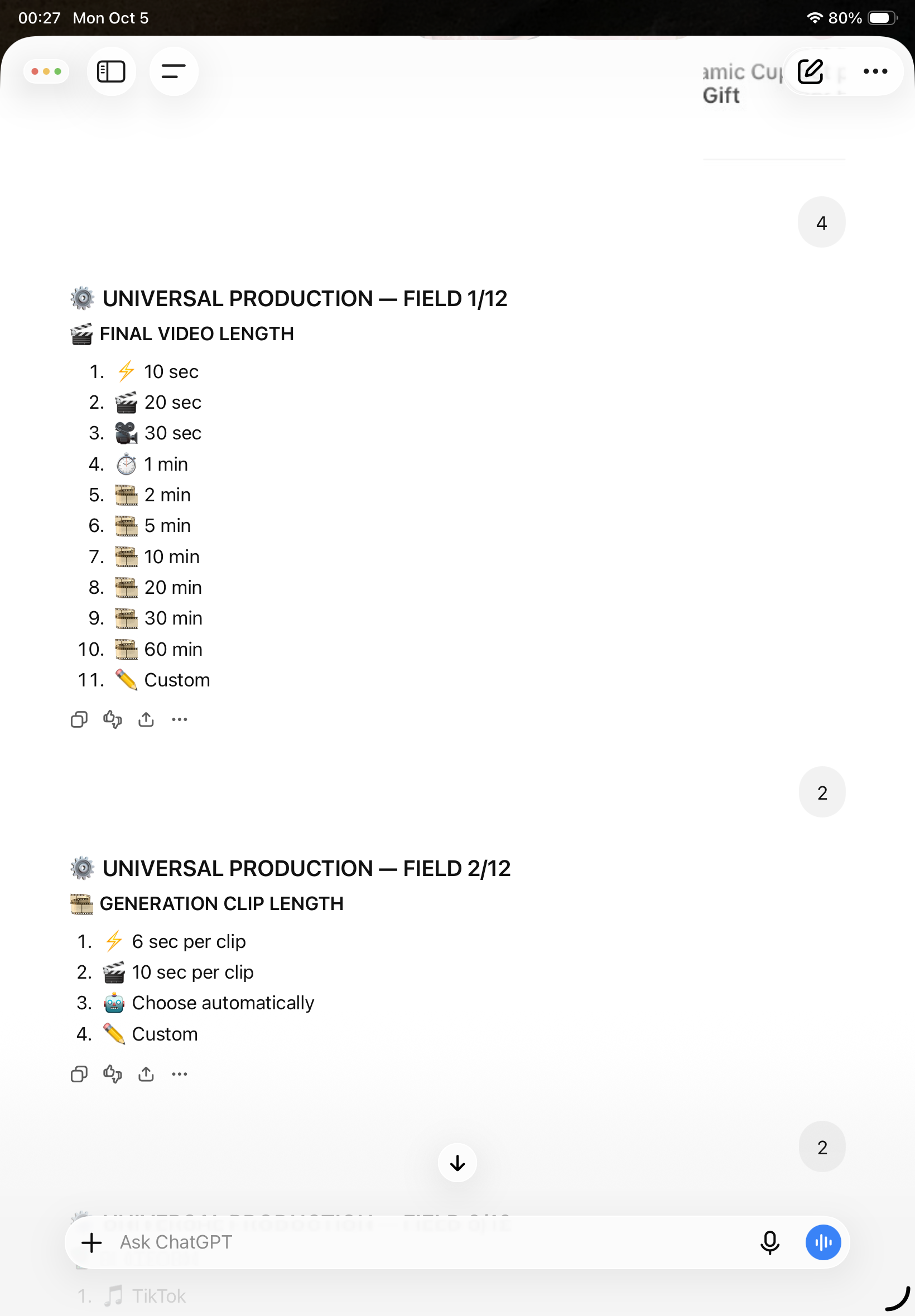
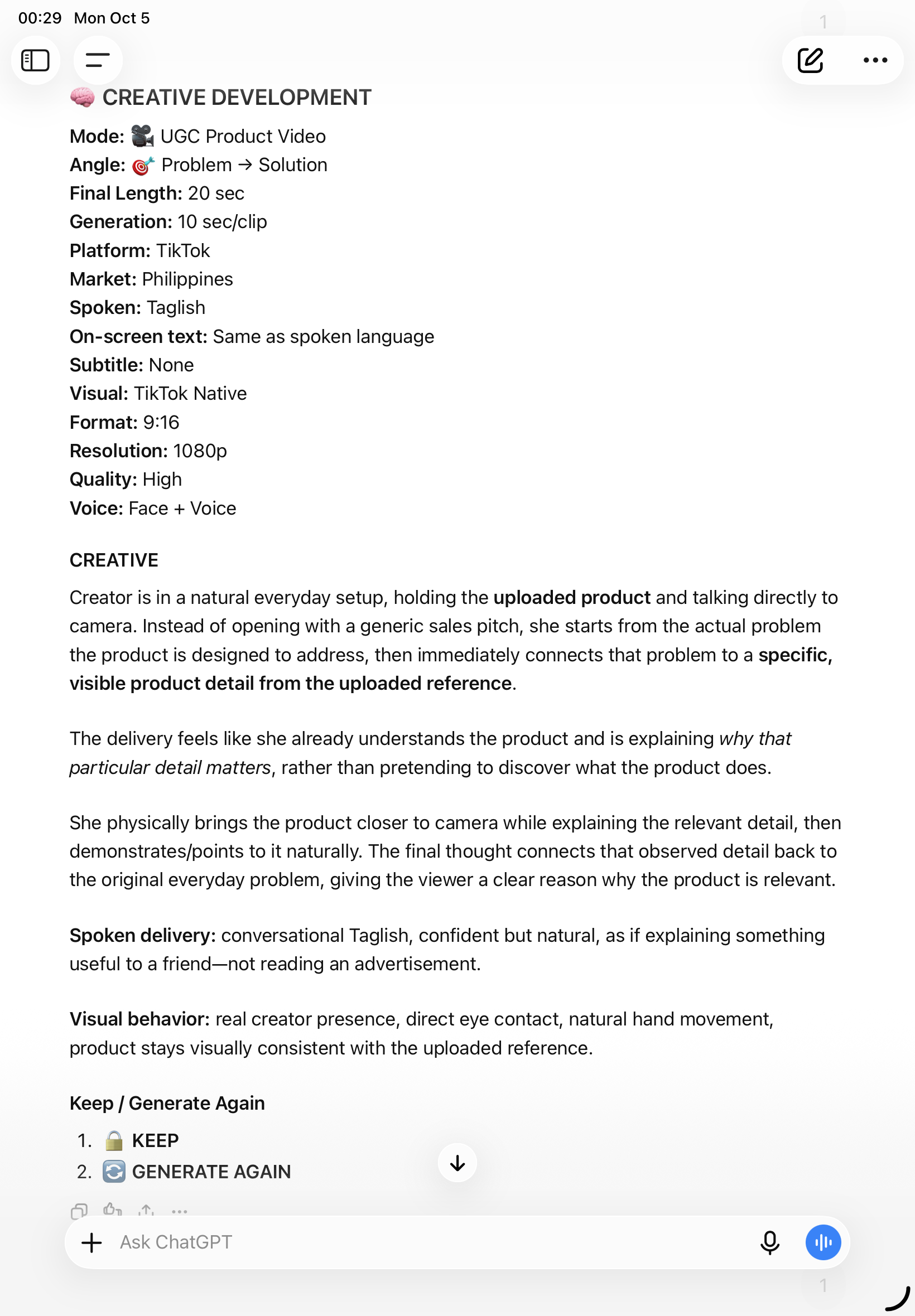
These are screenshots from the same real TIVA session — from choosing the mode, setting production fields, developing the creative, locking the storyboard, generating prompts, and preparing the final posting assets.
Hindi lang idea ang TIVA — may actual outputs. These are real affiliate/UGC videos created using the TIVA workflow.

The TIVA mode menu gives you a concrete starting point instead of a blank prompt box.

Aspect ratio, duration and other production choices are organized before creative development.

TIVA turns the selected production settings and references into a specific creative direction.

The storyboard maps the actual clips and panels before generation.

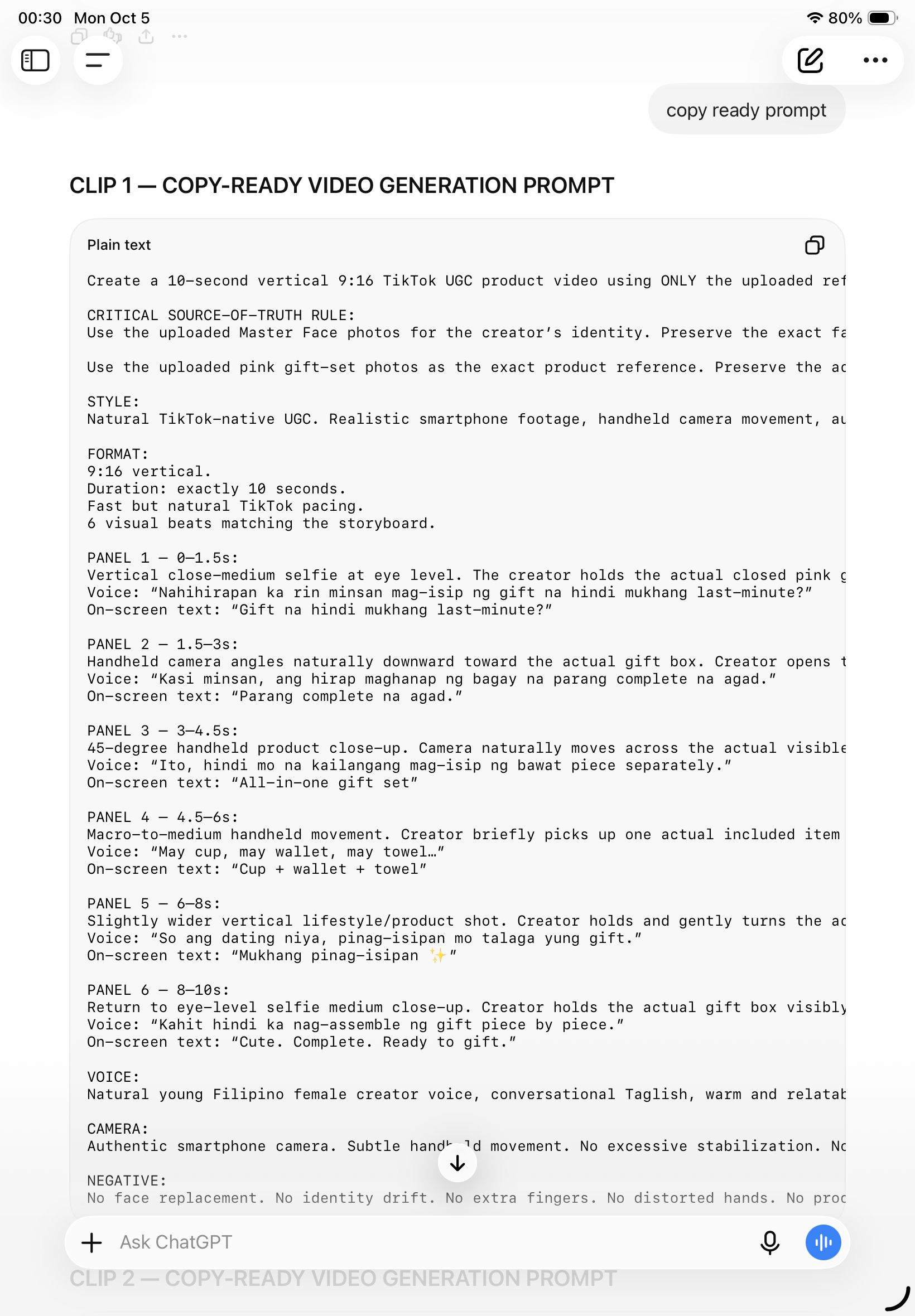
The workflow ends in a detailed prompt that carries the visual, action and reference constraints into generation.

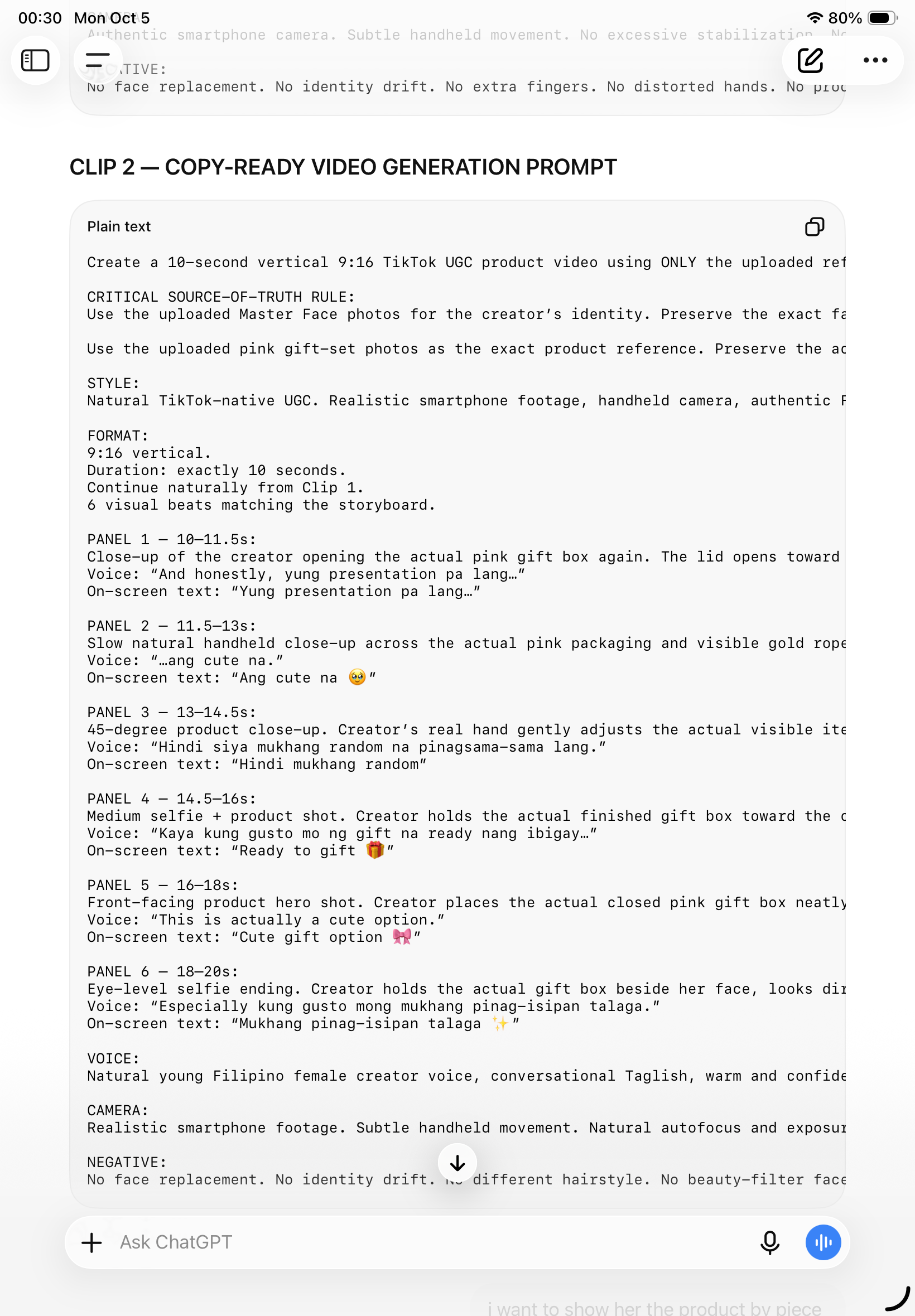
The second clip continues the same story and reference continuity instead of restarting from zero.

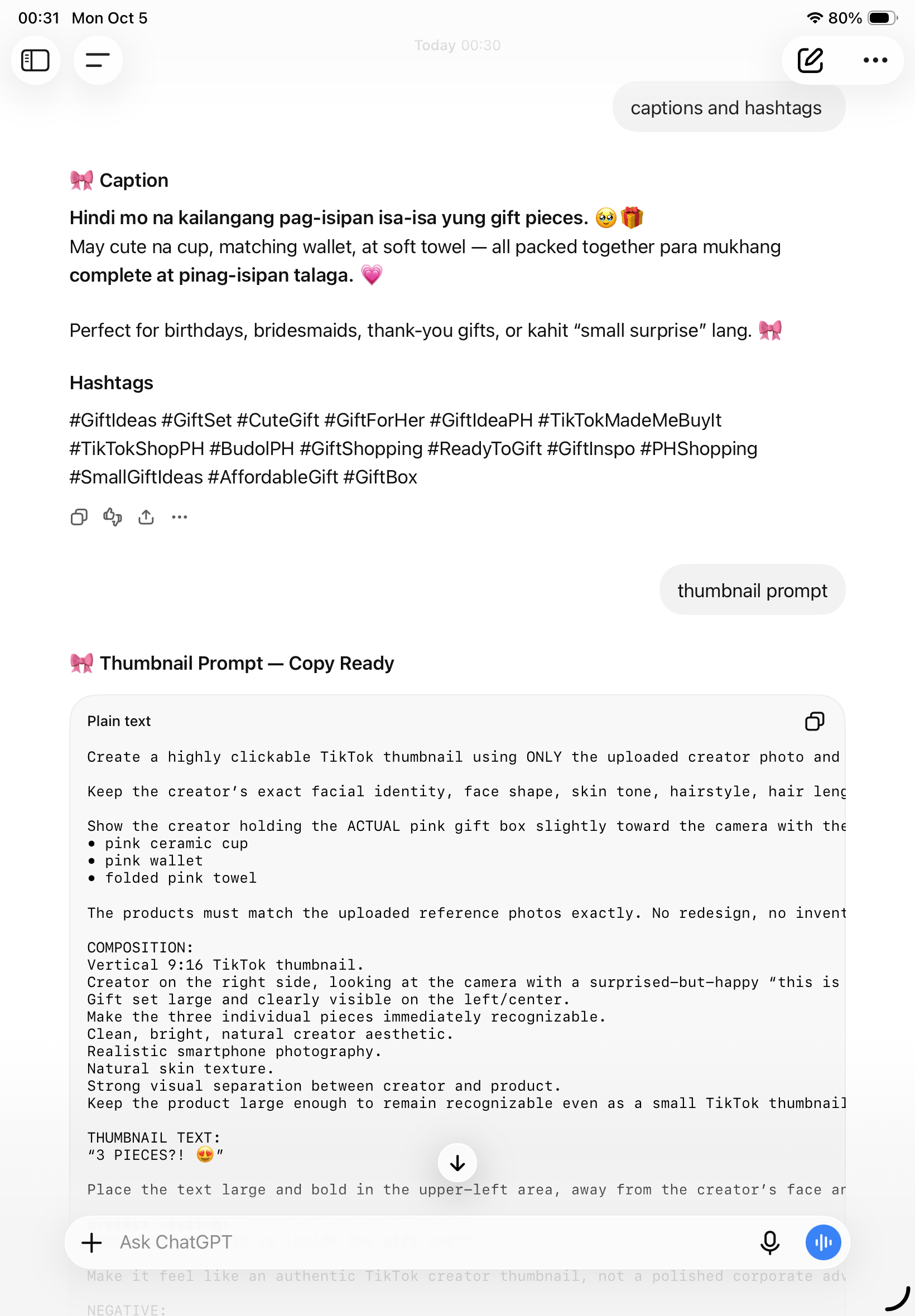
TIVA can continue the production flow into posting assets and thumbnail direction.
Fresh outputs from the same TIVA workflow — including the real workflow-to-video proof and creator-style videos built from actual concepts.
Real creator-style outputs — not mockups.
Hindi lang affiliate videos. These are actual marketing, self-improvement, and product outputs created using the TIVA workflow.
Real generated samples — not mockups.
TIVA starts with the instincts of a Gen Z Filipino creator — natural, observant, relatable, practical, and tuned into how real people actually create and consume content.
Think like a real creator: “If I were actually there, what would I notice first? What would make me reach for my phone? What would I film? What would I cut because boring?”
Choose another target country and TIVA can adapt the language, cultural context, audience behavior, tone, platform style, and creative execution instead of simply translating the same idea.
The “real-life” lens means creator-style reasoning and observation — not fabricated personal experiences, fake testimonials, or invented results.
TIVA does not guarantee income. Pero mas marami kang pwedeng paggamitan ng content skills na nade-develop mo.
Build product-focused, problem-first content for affiliate campaigns and product recommendations.
Create realistic creator-style UGC concepts and videos using your actual references instead of generic AI-looking outputs.
Turn ideas into scroll-stopping short-form videos built around hooks, retention, progression and payoff.
Adapt creator-native ideas into short-form content you can publish as Facebook Reels.
Develop repeatable short-form concepts, stories and videos for YouTube Shorts and creator channels.
Use the same creative system for your own content or as part of a creator, UGC or client service.
Develop product, service, campaign and brand content with a clearer creative direction and execution path.
It's a system for creating more kinds of content that you can publish, test, improve, or potentially use for different creator opportunities.
You choose what you want to create. TIVA asks the relevant questions, organizes the creative decisions, and moves you toward something you can actually execute.
Pick your creative mode.
Add your face, product, location or other source visuals.
Choose length, platform, market, language and visual style.
Build the hook, story, pacing and payoff.
Get a detailed storyboard and video-generation kit.
TIVA's goal isn't to make you feel productive. It's to make the next creative action obvious.
…hindi ko alam paano siya gawing actual video.
…pero wala pa rin akong final concept na gusto ko.
…pero kailangan ko ng actual shots, timing, action, and flow.
Start with one real project using the TIVA workflow. If you love it, move to full TIVA access.
Experience how TIVA thinks before you decide to buy. One free creative project — with the same Creative Brain, but intentionally stopping before production.
The Free Trial ends at Creative Development. Storyboards, shot lists, copy-ready video prompts, Generation Kits, and final video generation are locked until full TIVA access.
Full TIVA access for creators who want the complete guided Creative Brain — one-time payment, no monthly fee.
TIVA turns a creative idea into a structured, production-ready workflow.
No mode selection. No complicated creative questionnaire. Just give TIVA your real input and let the Creative Brain find the strongest direction.
Latest Auto Mode build with the production hard lock.
DOWNLOAD TIVA FREE TRIAL ZIP →TIVA gives you the thinking: direction, buyer/audience insight, hook, open loop, full creative development, voiceover/spoken direction, caption, hashtags, and thumbnail concept/prompt. It does not continue into storyboard or production-ready execution.
Join the official TIVA spaces para makita mo ang actual builds, makapag-share ng ideas, at maipakita ang videos na ginawa mo gamit ang TIVA.
Actual TIVA outputs, workflow experiments, updates, creator builds, and new drops.
JOIN OFFICIAL CHANNEL →
Public space para sa creator discussions, ideas, AI content sharing, and inspiration.
JOIN CREATORS COMMUNITY →
Share your TIVA outputs, ask for feedback, troubleshoot, and learn from other TIVA creators.
JOIN OUTPUTS & FEEDBACK →Follow @tivabytin for TIVA updates, creator content, experiments, and new outputs.
Yes. TIVA Free Trial gives you one free creative project in Auto Mode using the real TIVA Creative Brain. It develops the content direction, creative development, caption, hashtags, and thumbnail concept/prompt.
No. TIVA is a guided workflow. You provide the real context and references; TIVA guides the creative decisions.
Yes. Relevant modes can use your supplied visual references as source evidence for continuity and identity.
No. TIVA has 77 creative modes spanning UGC, stories, food, travel, animals, education, faith, business, sci-fi, and more.
Free Trial: Auto Content Direction → Creative Development → Caption + Hashtags → Thumbnail → Keep / Generate Again. Production outputs are intentionally locked in the Free Trial and are available in full TIVA.
From “wala akong maisip” to “okay, alam ko na ang next step.”
77 modes. One TIVA Brain. More ways to create.
Final checkout link can be connected once the access offer is ready.
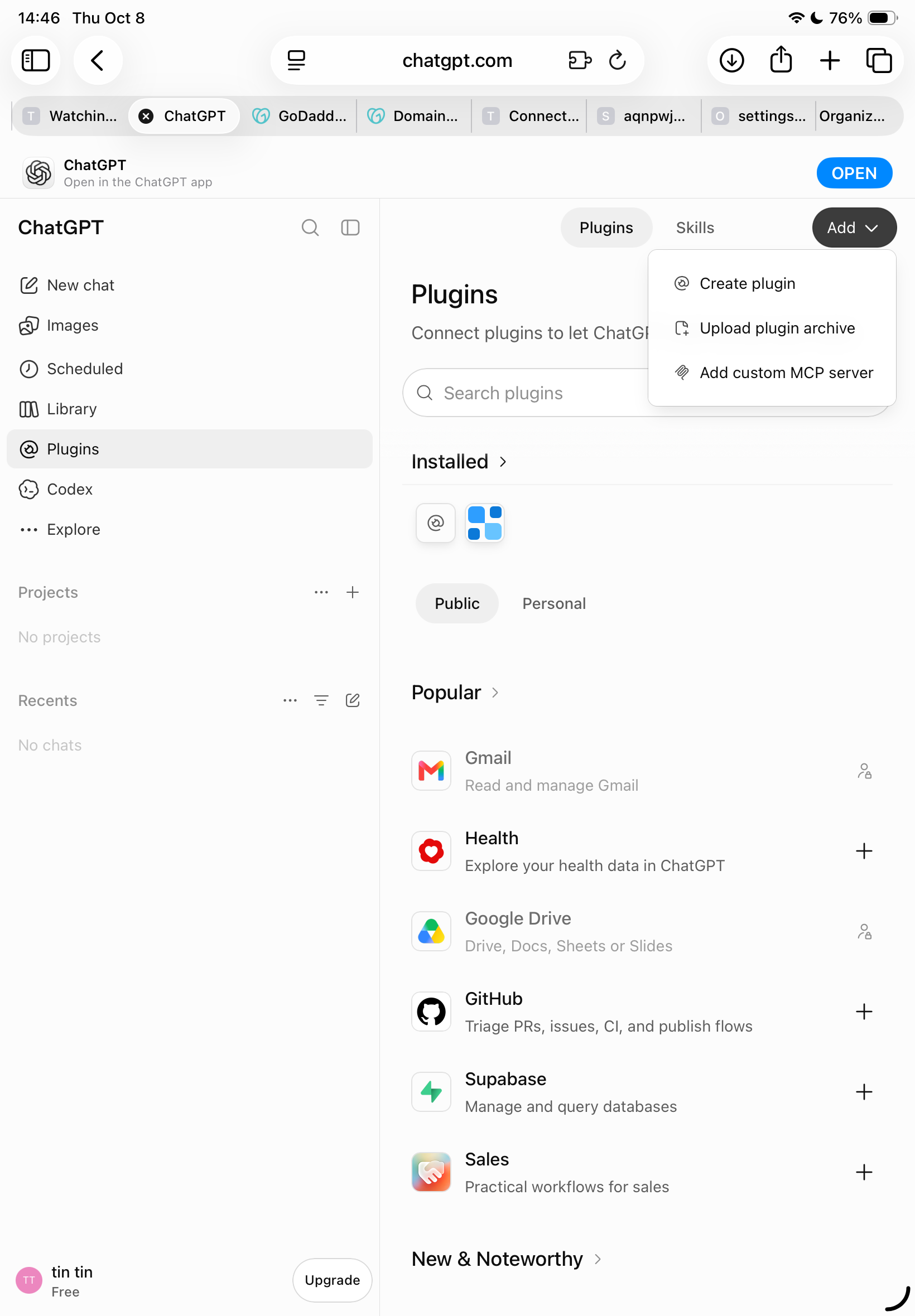
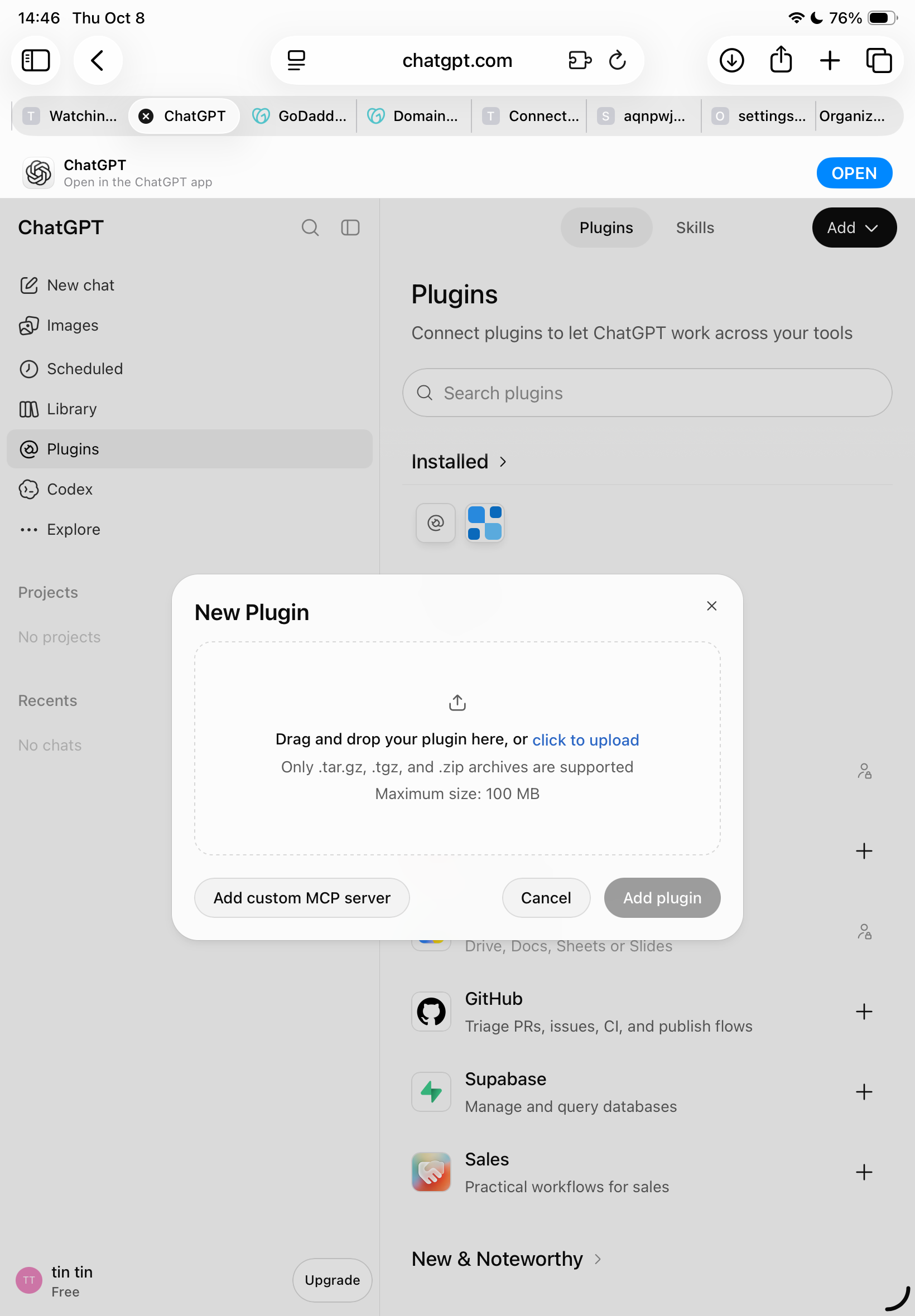
Follow the exact steps below. You only need to install the ZIP once. The screenshots show the same flow on ChatGPT web.
Open ChatGPT on the web in your browser and sign in to the account where you want to use TIVA. The upload option may vary by account, plan, workspace, or rollout.
In ChatGPT, open Plugins from the left sidebar. Then tap/click Add at the top-right.

From the Add menu, select Upload plugin archive.

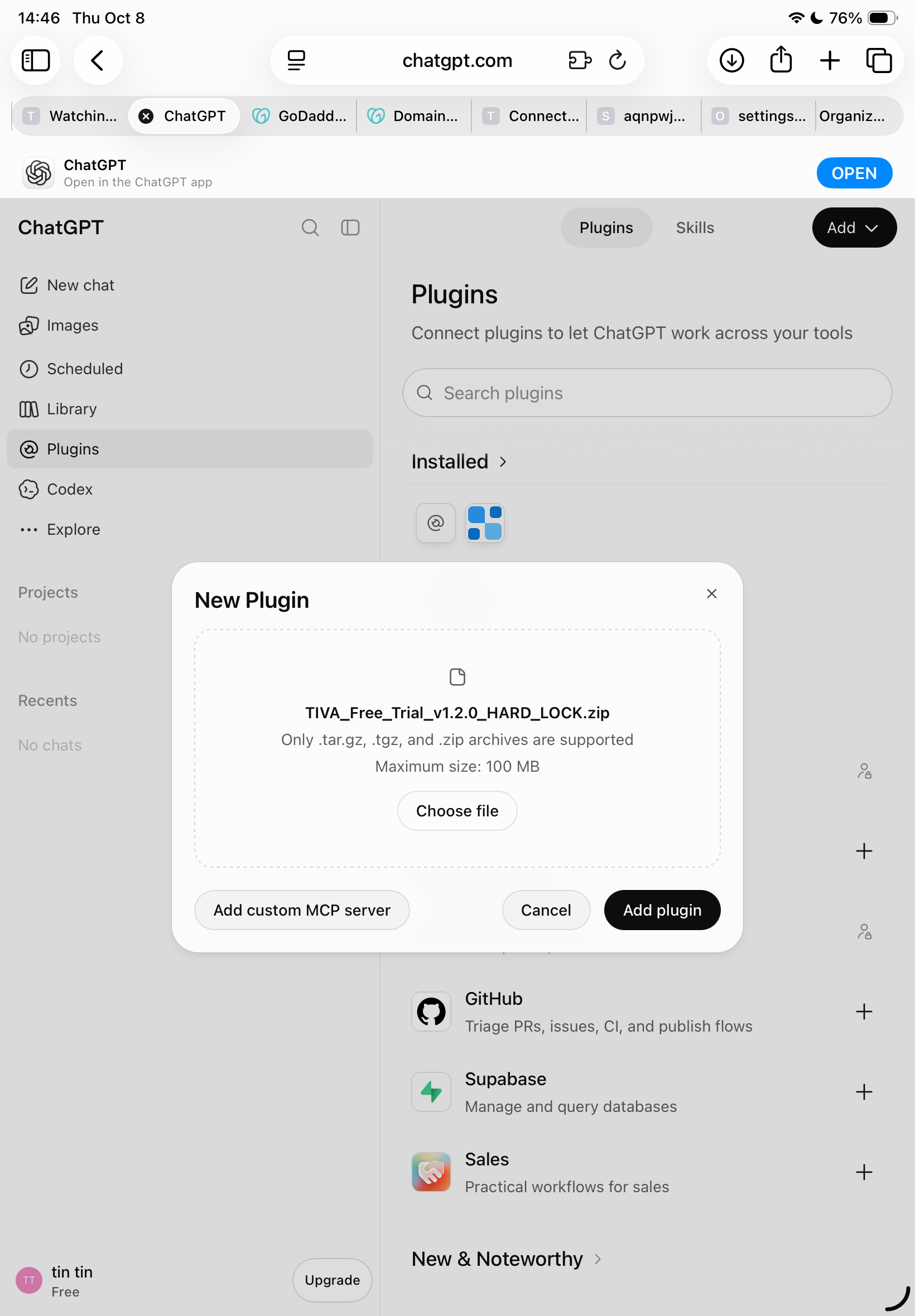
Tap click to upload / Choose file, then select TIVA_Free_Trial_v1.2.0_HARD_LOCK.zip.

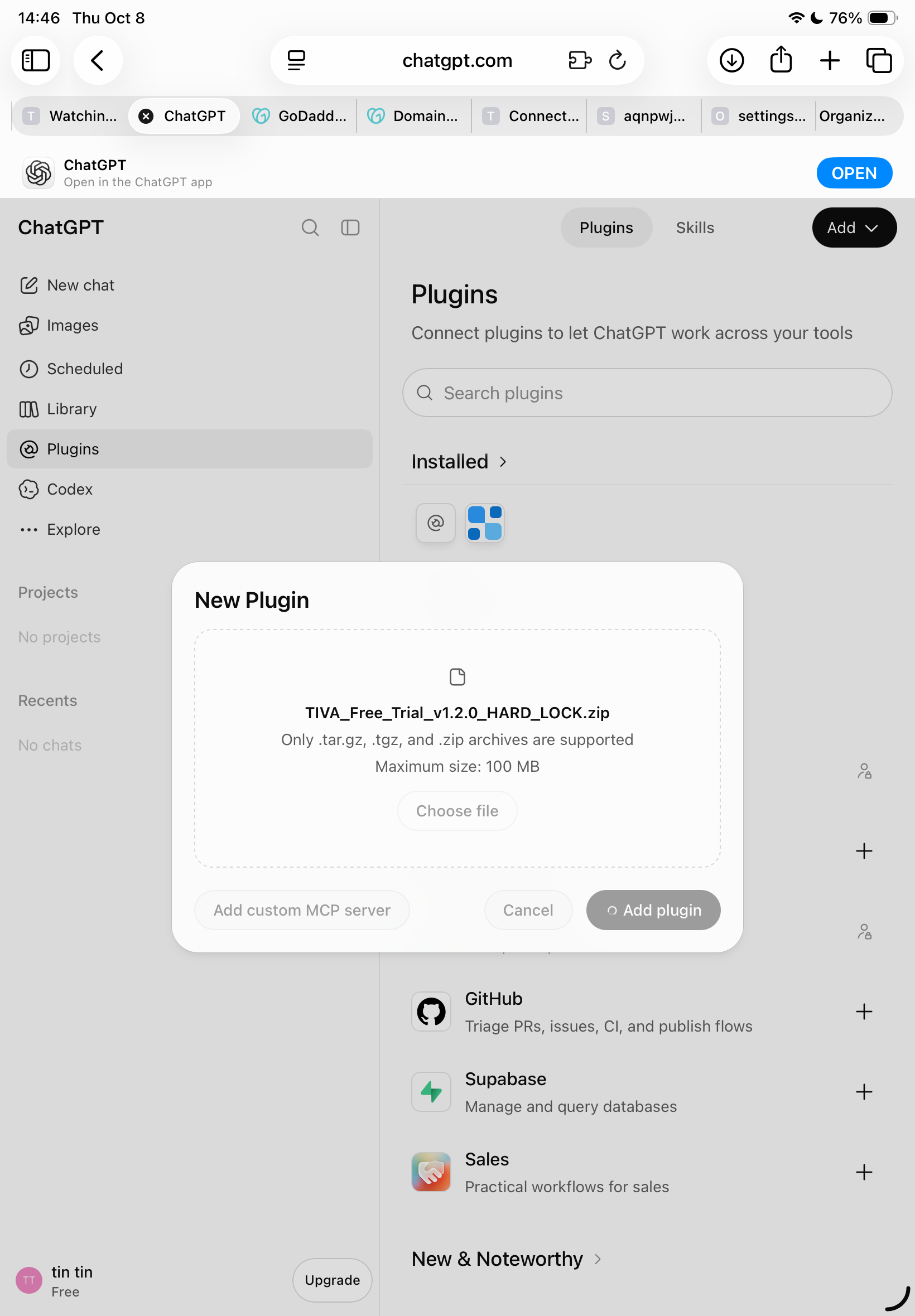
Once the file is selected, tap Add plugin. Wait for ChatGPT to finish installing it. Don't close the page while it is processing.

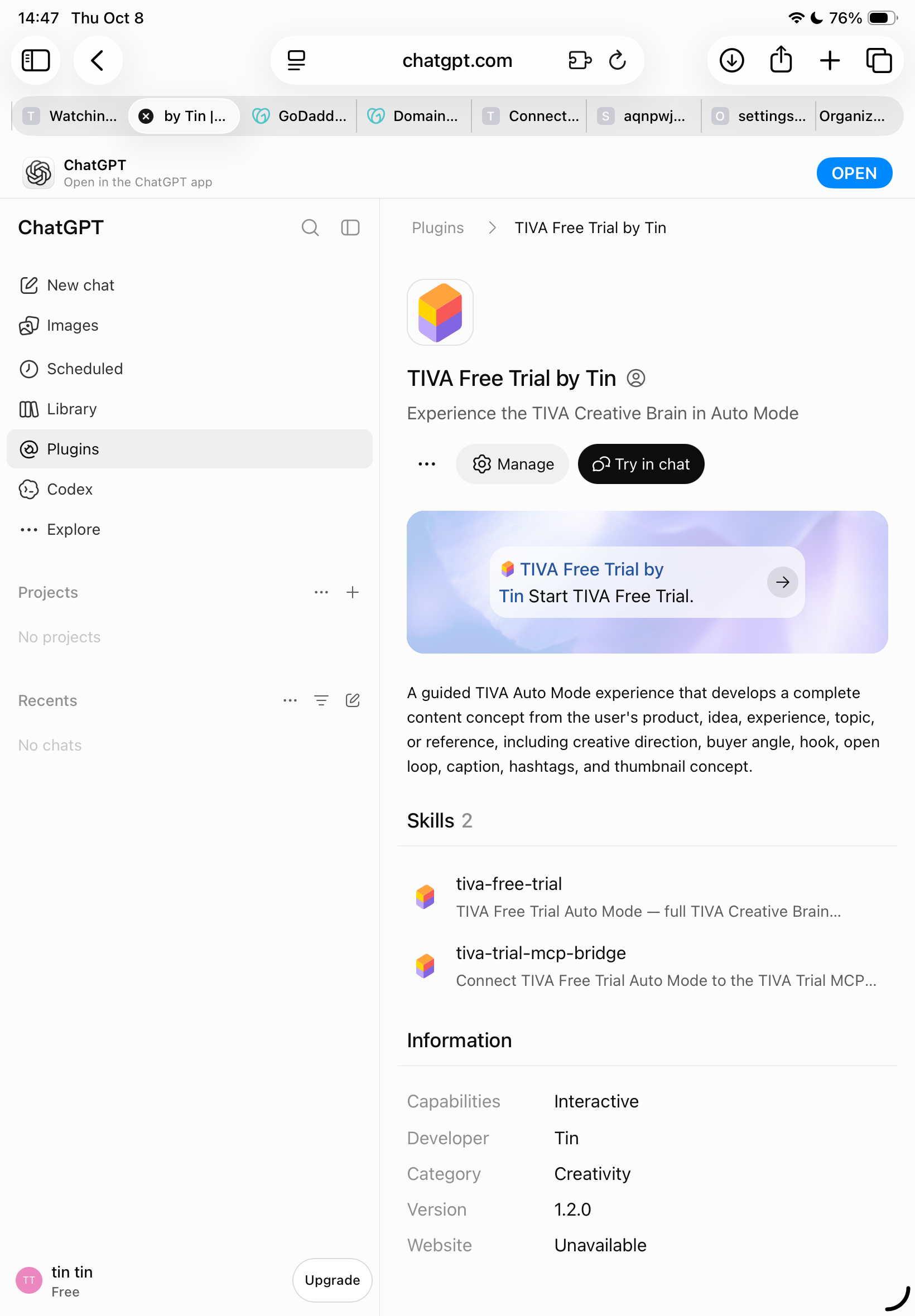
Open TIVA Free Trial by Tin. Check that the plugin shows Version 1.2.0. You should also see the two TIVA skills listed on the plugin page.

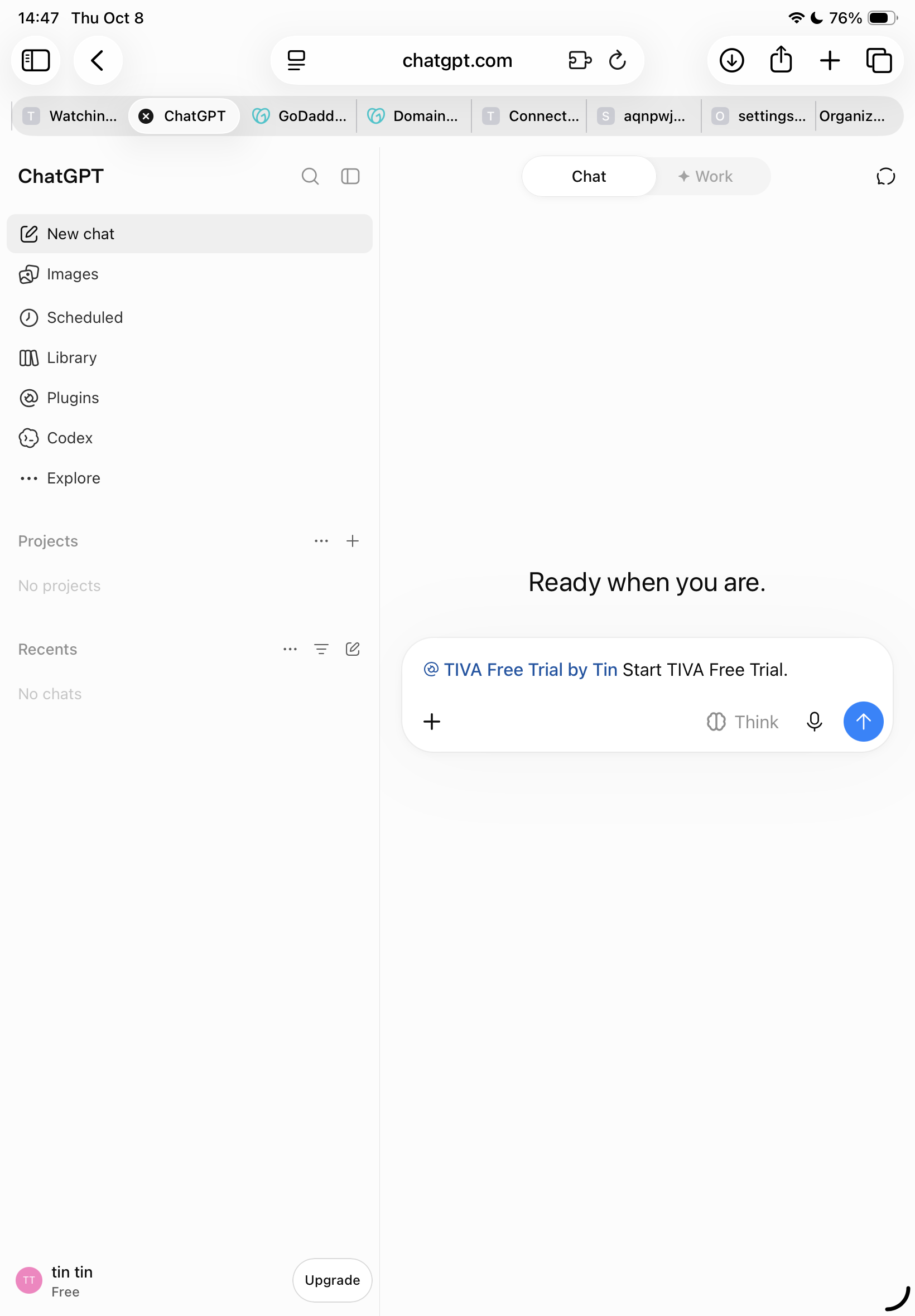
Tap Try in chat, or start a new ChatGPT conversation and select/mention TIVA Free Trial by Tin. Then send exactly:

TIVA Free Trial automatically uses Auto Mode. Send a product, idea, experience, topic, photo, or reference. You do not need to choose a content mode.
The plugin upload option is not shown on every ChatGPT account or workspace. Check that you are using ChatGPT on the web and that your account has plugin upload access. If the option is still unavailable, contact TIVA support rather than repeatedly trying different files.